Romantic stickers - WASticker
- 4.9
- Rating
- 1.00M
- Installs
- Free
- Price

 Analysis by App-foxy
I usually judge a sticker app by a simple question: does it make everyday conversations warmer without making the process feel like work? Romantic stickers - WASticker is built for that narrow purpose. It is a free communication app from Romantic Stickers - Wasticker & Love Photo Frames, focused on affectionate images for WhatsApp rather than on messaging, social networking, or photo editing as a whole. After using it, I see it as a small utility for people who want a quicker way to express affection with a visual reply.
The app has a 4.9 average from around 20 thousand ratings and has passed one million installs, which gives it a strong level of visibility among similar sticker tools. Those figures do not automatically make every sticker useful, but they do suggest that the basic idea is easy for many people to understand. It is free, rated for Everyone, and runs on Android 7.0 or later. Its current version is 1.1.2, and the release date shown for it is March 19, 2026.
What using the sticker app feels like in real conversations
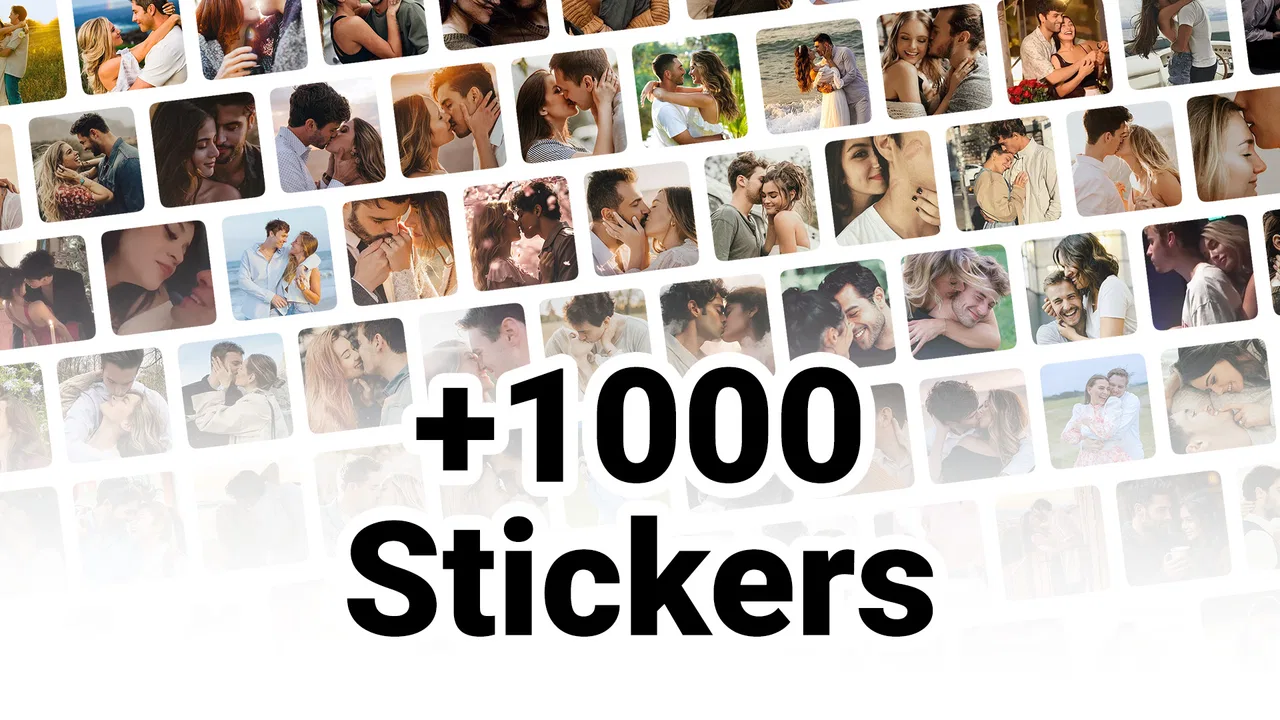
The main appeal is immediacy. Instead of typing a long message when a friend sends good news, or searching through emojis to find something more expressive than a heart, I can use a romantic image that carries a clearer mood. The focus on couples, kisses, hugs, and affectionate reactions makes the app easy to understand from the first use.
You May Also Like

 Blood Strike: 2.5 Anniversary
Blood Strike’s Loadouts Turn Every Drop Into a Tactical Gamble
A close look at Blood Strike’s custom loadouts: how fast access to signature weapons reshapes its battle royale rhythm, rewards preparation, and narrows the gap between fights.

 Pandora - Music & Podcasts
Pandora’s Music Is Easy to Start, but Harder to Recover
Pandora’s strength is its low-effort path from a seed to a station. Its weak spot is how much confidence it asks you to place in connection, setup, and quiet recovery.

 8 Ball Pool
 Is Built on Rivalries, Rematches, and Routine
A close look at the rivalries, rematches, shared routines, and unanswered safety questions that turn a quick pool match into a persistent mobile community.

 Samsung Music
’s Quiet Strength Is Playing What You Already Own
Its reach comes less from spectacle than from dependable access to a personal library. That simplicity is both the app’s strongest retention engine and its ceiling.

 AccuWeather: Weather Radar
AccuWeather Review: A Quick, Clear Forecast for Everyday Decisions
For everyday plans, the best forecast is the one you can understand quickly. AccuWeather makes rain timing, radar, and local conditions easy to act on, with a few trade-offs.

 Hill Climb Racing
Why Hill Climb Racing Still Turns Crashes Into One More Run
A tiny car, a bumpy hill and one more upgrade: Hill Climb Racing keeps resurfacing because its simple chaos makes every near-miss feel personal.
More From Our News Desk



That focus is also its biggest boundary. This is not a complete sticker library for every conversation. If I want food reactions, work humor, pets, gaming references, or seasonal jokes, a broader sticker platform will probably serve me better. This app makes more sense as a dedicated romantic collection that sits alongside the usual emoji keyboard or general sticker packs.
In a normal evening conversation, I could imagine using it after my partner says they arrived safely. A short hug sticker can acknowledge the message without turning the exchange into another paragraph. The same works for a good-morning greeting, an apology that needs a softer tone, or a quick goodnight when I am too tired to write much. These are modest situations, but they are exactly where a focused sticker app can be more useful than a large, cluttered collection.
Why the narrow theme is useful
Many communication apps offer thousands of visual reactions, but abundance often creates its own problem. I may spend more time scrolling than choosing. A romantic-only approach reduces that search space. When the conversation is affectionate, the available mood is already close to what I need.
I also found that the theme helps with tone. A plain thumbs-up can sound practical, while a hug or kiss image makes the emotional intention clearer. That does not mean a sticker replaces a sincere message, especially during a serious conversation. It simply gives casual exchanges another layer of expression.
One practical tip is to treat the stickers as punctuation rather than as a complete sentence. Sending one after a personal message usually feels more natural than sending several at once. A single image can underline warmth; a long sequence can make the conversation feel noisy or overly theatrical. The app is at its best when the visual response matches the closeness and mood of the chat.
How it fits with WhatsApp habits
The app is designed around WhatsApp sticker use, so its value depends on how comfortably its packs move into that messaging environment. The important workflow is not simply browsing pictures; it is choosing a relevant one, adding it to the place where I chat, and finding it again later without interrupting the conversation.
For a first-time user, I would recommend testing one small selection rather than adding everything immediately. That makes it easier to learn which images are genuinely useful and keeps the sticker area from becoming crowded. If an image looks appealing while browsing but never fits an actual conversation, it is not earning space in the collection.
A second useful habit is to think about the recipient before sending. Romantic stickers are appropriate for a partner or someone with whom that tone is already established. They are not automatically suitable for a new acquaintance, a professional contact, or a family group. The app makes affectionate expression easy, but it cannot decide whether the relationship supports that expression.
Trust, controls, and moments that deserve care
Because this is a communication-focused app, I pay attention to more than appearance. Sticker tools often sit close to private conversations, contact lists, and media-sharing routines. A pleasant design is not enough for me; I also want to understand what I am choosing, where I am sending it, and whether the app gives me room to control that process.
The visible product information identifies the developer as Romantic Stickers - Wasticker & Love Photo Frames and presents the app as free. It also gives an Everyone content rating, which makes it approachable for a broad audience. Those details help establish the app’s intended scope, but they are not a substitute for checking the permission prompts and privacy choices shown on the device during installation and use.
I would read each permission request instead of approving everything automatically. If the app asks for access that seems unrelated to selecting or sharing stickers, I would pause and decide whether that access is necessary for the action I want. This is especially important on a phone used for personal conversations, where convenience should not remove my ability to make informed choices.
The safest habit is to review every visible permission and sharing choice before continuing. I would also check the app’s listing and device settings for any available privacy controls, then revisit them after an update. The current version is 1.1.2, and updates can change how an app behaves even when its main purpose remains the same.
What I would check before installing
I would begin with the basic compatibility requirement. The app needs Android 7.0 or later, so users of older phones should confirm their operating system before spending time looking for it. On a compatible device, I would install it only from the normal app distribution route and pay attention to the wording of the setup screens.
Next, I would look at whether the app offers clear choices when it wants to add or share sticker content. The useful question is not only “can I use this pack?” but also “do I understand what happens when I tap the button?” A straightforward confirmation step is valuable because it reduces accidental additions and makes the workflow easier to reverse.
I would also inspect the app’s settings and the Android permission manager after installation. If I no longer use the app, removing unused access or uninstalling it is a sensible cleanup step. This is not a criticism unique to this sticker tool; it is a practical way to keep control over any small app that touches a communication workflow.
Data-sensitive moments during everyday use
The most sensitive point is not necessarily choosing a cartoon kiss. It is the point where the app connects that choice with another service or with a private conversation. Before sharing, I would confirm the destination, especially if I have several chats open. A romantic sticker sent to the wrong person is an awkward mistake that no rating can prevent.
I would also avoid treating the app as a private place for confidential communication. Stickers are visual messages, and once they are sent, the recipient can save, forward, or show them elsewhere depending on the messaging service. The app can help me choose an affectionate image, but it does not give me control over what happens after delivery.
Another overlooked issue is context. A sticker that feels playful in a one-to-one chat may look inappropriate in a group. I would preview the conversation and recipient before sending, particularly when the sticker includes a kiss, an embrace, or wording that assumes romantic closeness. This small pause is more useful than collecting a large number of packs.
User agency matters more than the rating
The high rating is encouraging, but I would not use it as my only reason to install. Ratings tell me that many people like the general experience; they do not tell me whether the visual style matches my taste or whether the app’s controls suit my phone. I would judge it by how quickly I can find a sticker, how clearly I understand the sharing step, and how easy it is to stop using it.
Free access lowers the barrier to trying it, but free does not mean I should ignore the choices presented during use. I prefer apps that let me decide what to add, when to share it, and whether to keep access enabled. If the workflow ever feels pushy or unclear, I would rather return to the standard WhatsApp stickers and emojis than continue out of habit.
There is also a social form of user control: choosing not to send anything. A sticker can soften a message, but it can also avoid a conversation that deserves actual words. I would use a hug image after a small misunderstanding, for example, but I would not rely on it as a substitute for explaining an apology or discussing a difficult issue. That distinction keeps the tool helpful instead of letting it become emotional shorthand for everything.
Where it beats ordinary alternatives
Compared with WhatsApp’s standard emojis, this app offers a more deliberately romantic visual language. Emojis are faster for tiny reactions and are already familiar, but they can feel generic. A dedicated sticker may communicate enthusiasm, tenderness, or reassurance with more personality.
Compared with a large all-purpose sticker app, the advantage is focus. I do not need to browse unrelated themes when my goal is a romantic response. The trade-off is variety: a general collection is more adaptable across friends, family, work, and hobby groups. I would choose this app as a companion to a broad sticker source, not necessarily as my only visual communication tool.
Compared with sending a photo or GIF, a sticker is usually a lighter response. It does not require me to search through my camera roll or create something original. That convenience is useful for routine affection, but it also means the message may feel less personal than a photo, voice note, or handwritten-style text. The right choice depends on whether I want speed or individuality.
Who should use it and who should skip it
I think it is a good fit for couples who message frequently and want more expressive replies than the built-in emoji set provides. It also suits people who prefer visual communication, users who want quick good-morning or goodnight reactions, and anyone looking for a themed collection rather than a giant catalog.
I would be more cautious about recommending it to someone who rarely uses WhatsApp stickers, dislikes romantic imagery, or needs content for many different social settings. It is also not the right choice for a user searching for a full photo editor, a private messenger, or a general-purpose communication platform. Its role is much smaller and clearer than that.
Parents and families should still consider the Everyone rating alongside their own judgment about how the app will be used. The rating makes the app broadly accessible, but romantic themes can have different meanings in different households. Reviewing the available content together is more sensible than assuming an age label answers every question about personal suitability.
My practical recommendation after using it
I would install it when I specifically wanted a romantic sticker collection for WhatsApp, then spend a few minutes testing the complete path from browsing to sending. I would add only the styles I could imagine using, check the recipient before each share, and review permissions and settings rather than accepting them without reading. Those steps keep the app’s convenience from becoming background access that I no longer think about.
I would also keep expectations realistic. The app will not transform a dull conversation, repair a serious disagreement, or replace a thoughtful message. What it can do is remove a little friction from affectionate exchanges. When the emotional tone is already clear, a well-chosen sticker can make a short reply feel intentional instead of abrupt.
My final view is cautiously positive. Romantic stickers - WASticker is a focused, free communication utility with a clear audience and a useful place beside ordinary emojis. Its strongest quality is the narrow romantic theme, while its main limitation is that the same narrowness makes it less useful outside couple-oriented chats. I recommend trying it if that is exactly the kind of expression you want, while keeping control of permissions, checking each sharing action, and choosing real words whenever the conversation needs more than a cute image.
FAQs for Romantic stickers - WASticker
01What is Romantic stickers - WASticker, and what can I use it for?
Romantic stickers - WASticker is a sticker collection designed for expressing love, affection, friendship, and romantic feelings in WhatsApp conversations. It typically includes cute messages, hearts, kisses, couples, flowers, and other emotional illustrations. After installing the app and adding a sticker pack to WhatsApp, you can send these images in individual chats or groups whenever ordinary text does not fully express what you want to say.
02How do I add the romantic sticker packs to WhatsApp?
After downloading Romantic stickers - WASticker, open the application and browse the available collections. Select a pack that interests you, then tap the option to add it to WhatsApp. Confirm the request when WhatsApp appears. Once the process is complete, open a conversation in WhatsApp, tap the emoji button, choose the sticker tab, and look for the new pack in your available sticker collections.
03Is Romantic stickers - WASticker free to download and use?
The application can generally be downloaded without an upfront purchase, although availability of advertisements, optional premium content, or specific sticker packs may depend on the version you install and your device’s app store. It is advisable to check the listing before downloading, especially if you want an ad-free experience. WhatsApp itself is also required to send the stickers.
04Can I use these stickers on Android and iPhone devices?
Compatibility depends on the version of Romantic stickers - WASticker available for your operating system. Android users should install the app from a trusted Android store, while iPhone users need an iOS-compatible version from the App Store. The sticker packs are intended for WhatsApp, but some features or pack availability may differ between platforms, so check the device requirements before installation.
05Are the stickers safe to use, and what permissions does the app require?
The stickers are normally used as image content inside WhatsApp, but you should still download Romantic stickers - WASticker only from an official or reputable store. Review the permissions requested during installation and avoid granting access that seems unrelated to sticker functionality. Also remember that adding a sticker pack may require WhatsApp to be installed, and privacy practices can vary according to the app developer and version.
Pros
- Large collection of romantic stickers for different moods and occasions.
- Stickers are easy to browse and add directly to WhatsApp.
- Includes cute
- affectionate
- and funny designs for varied conversations.
- Lightweight app with a simple interface and quick loading.
- Useful for expressing feelings when text alone feels too plain.
Cons
- Primarily focused on WhatsApp
- limiting usefulness in other messaging apps.
- Some sticker packs may feel repetitive after regular use.
- Ads can interrupt browsing and make the experience less seamless.
- Sticker quality and style may vary between different packs.
- Requires extra storage space for downloaded sticker collections.

Romantic stickers - WASticker
Gallery